


Download Zimly APK – Android media player, music player, video player, music app, video app, free media player, Android app
Overview
Zimly is a sleek, modern media player designed for Android devices, aiming to deliver a streamlined experience for both music and video consumption. The app positions itself as a minimalist yet functional alternative to existing media solutions, emphasizing clean visuals and intuitive navigation. Its primary purpose is to allow users to browse and play audio and video files with ease, organizing content by artist, album, song, or genre. Target users include casual media consumers, music enthusiasts, and individuals seeking a lightweight, visually appealing player without the clutter of feature-heavy alternatives.
The developer, Zimly Inc., has introduced an application that focuses on aesthetics and usability, particularly in the music playback section. The interface is large and clearly laid out, enabling quick access to current and queued tracks. While the app supports both audio and video playback, the video functionality appears less mature compared to its music counterpart. Real-world usage scenarios include listening to music on the go, watching short clips, or organizing personal media libraries. The developer did not provide additional system requirements, and exact performance details were not specified.
Key Features & Capabilities
- Minimalist Interface – The app features a clean, uncluttered design that prioritizes content visibility. Large, readable elements make navigation straightforward, especially for users who prefer simplicity over complexity.
- Music Browsing by Metadata – Users can explore music collections using standard categories such as artist, album, song title, and genre, enabling efficient content discovery.
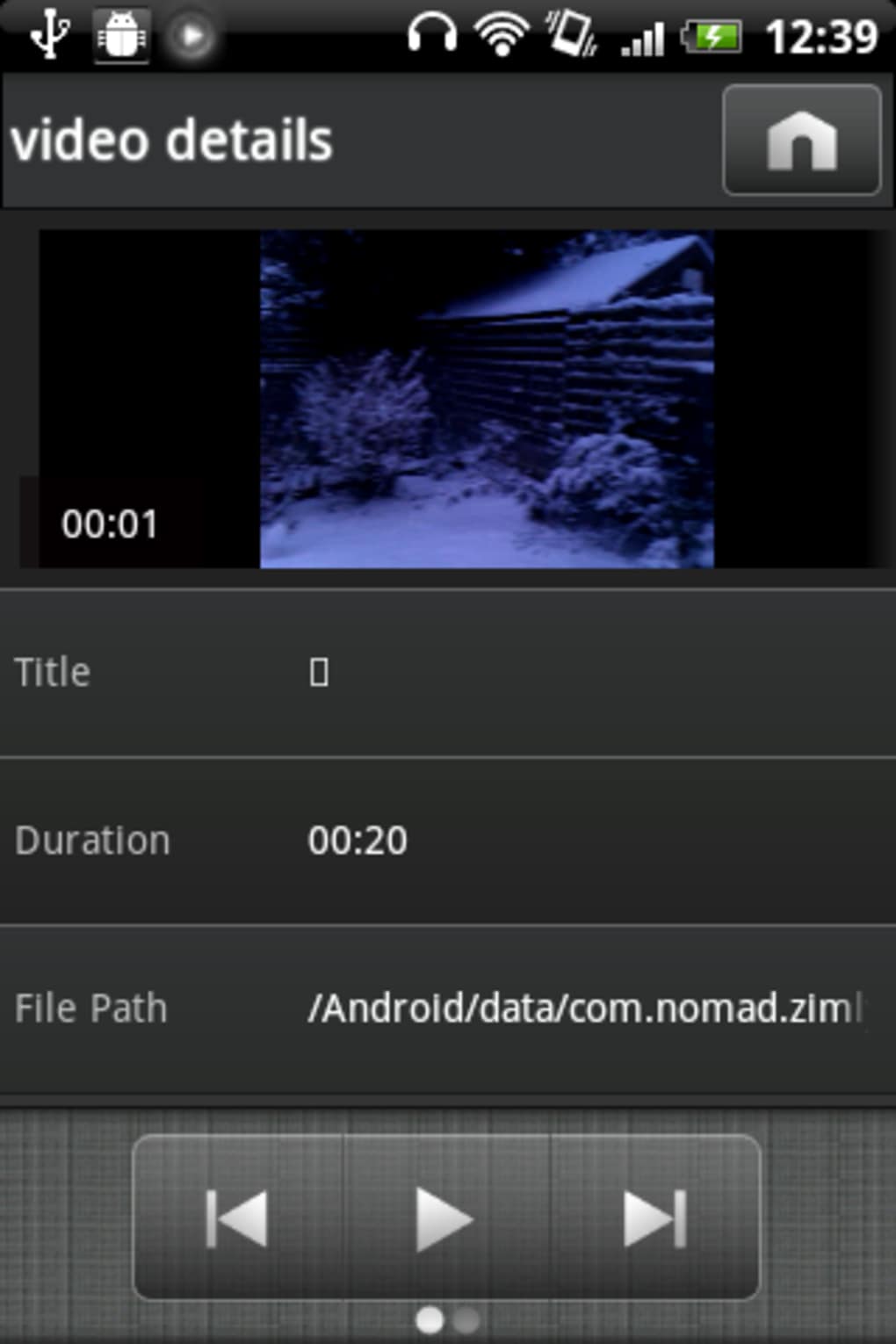
- Video Frame Navigation – The video player divides media into key frames, allowing users to jump to specific moments within a video, which is useful for reviewing or finding highlights.
- Headset and Resume Controls – The app offers customizable settings for headset behavior and auto-resume functionality, helping maintain playback continuity across device interruptions.
- Music Alarm Feature – A built-in alarm allows users to schedule music playback at a specific time, ideal for waking up or setting reminders.
- Swipe-to-Browse Gesture – A gesture-based navigation method enables users to swipe through tracks or video frames, though its responsiveness may vary depending on device and background.
These features are designed to enhance daily media consumption, particularly for users who value visual clarity and quick access. However, the absence of in-app guidance means some functions, like the Story feature, require external research to understand fully. The video editing capabilities are limited, and the app does not support modifying video properties directly.
User Interface, Workflow & Performance
Zimly’s user interface is centered around clarity and visual appeal. The main playback screen displays essential controls in a large, legible format, reducing the need for precise taps. Navigation is primarily gesture-based and icon-driven, with the three-line menu in the top-left corner providing access to playlists, settings, and recent content. The workflow is designed to be linear: select media → play → navigate using gestures or menus.
While the app is responsive in basic operations, performance observations are based on general software behavior patterns. The developer did not specify resource usage details, so CPU and RAM behavior cannot be confirmed. Stability during extended playback sessions was not documented. Some interface elements may appear partially obscured against certain background images, which could affect readability. Overall, the app maintains smooth operation for standard media files, but complex or high-resolution videos may impact performance depending on the device.
Compatibility & System Requirements
Zimly is designed for Android devices and is compatible with the latest versions of the operating system. The app has a file size of 14.7 MB, indicating a lightweight footprint suitable for devices with limited storage. The specific version is 1.2.5, released on April 10, 2024. The developer did not list exact hardware requirements or minimum OS versions beyond the platform designation.
Compatibility information was partially provided. Users should ensure their device runs a supported Android version, though the exact range is not specified. Installation is straightforward, and the app does not require additional dependencies. The developer did not provide information on whether the app supports external storage access or cloud integration.
Pros and Cons
Pros
- Minimalist and visually appealing interface
- Efficient music browsing by artist, album, genre, and song
- Video frame navigation for precise playback control
- Customizable headset and auto-resume settings
- Music alarm feature for scheduled playback
- Lightweight at 14.7 MB
- Free to download and use
Cons
- Limited video editing capabilities
- Lack of in-app help or tutorials
- Some interface elements obscured on certain backgrounds
- Swipe-to-browse feature not fully optimized
- Story feature functionality unclear without external help
- Video section appears less developed than music section
FAQ Section
Is Zimly compatible with all Android devices?
Zimly is designed for Android, but the developer did not specify the exact range of supported OS versions or hardware requirements.
Is Zimly safe to download and use?
As a free Android app developed by Zimly Inc., it is available through official channels. Users should ensure downloads come from trusted sources to maintain security.
Does Zimly require an internet connection?
The app supports offline media playback. However, certain features like the Story function may require online access for full functionality.
How often does Zimly receive updates?
The latest version, 1.2.5, was released on April 10, 2024. The update frequency is not specified by the developer.
Is Zimly a free app?
Yes, Zimly is available at no cost. There are no in-app purchases or subscription tiers mentioned in the provided information.
Final Thoughts
Zimly presents a promising start in the Android media player space, combining a clean design with functional features for both music and video. Its minimalist interface and strong focus on usability make it a solid choice for users who value aesthetics and simplicity. While the music playback experience is well-executed, the video capabilities remain underdeveloped, and some features lack clear guidance. The absence of in-app help limits the user experience, particularly for new users.
Despite these limitations, Zimly demonstrates potential and is on the right track. With future updates that improve video functionality and add clearer user guidance, it could become a top-tier media player. For now, it’s a reliable, lightweight, and free option for Android users seeking a fresh take on media playback.
Download Zimly APK now





.png)

